Technology News

Put a Background on Open Details Elements

One thing that can be just a smidge funky about the <details> element is that, when open, it’s not always 100% clear what is inside that element and what isn’t. I’m not saying that always matters or that it’s a particularly hard problem to solve, I’m just noting it as it came up recently for me.

Here’s a visual example:
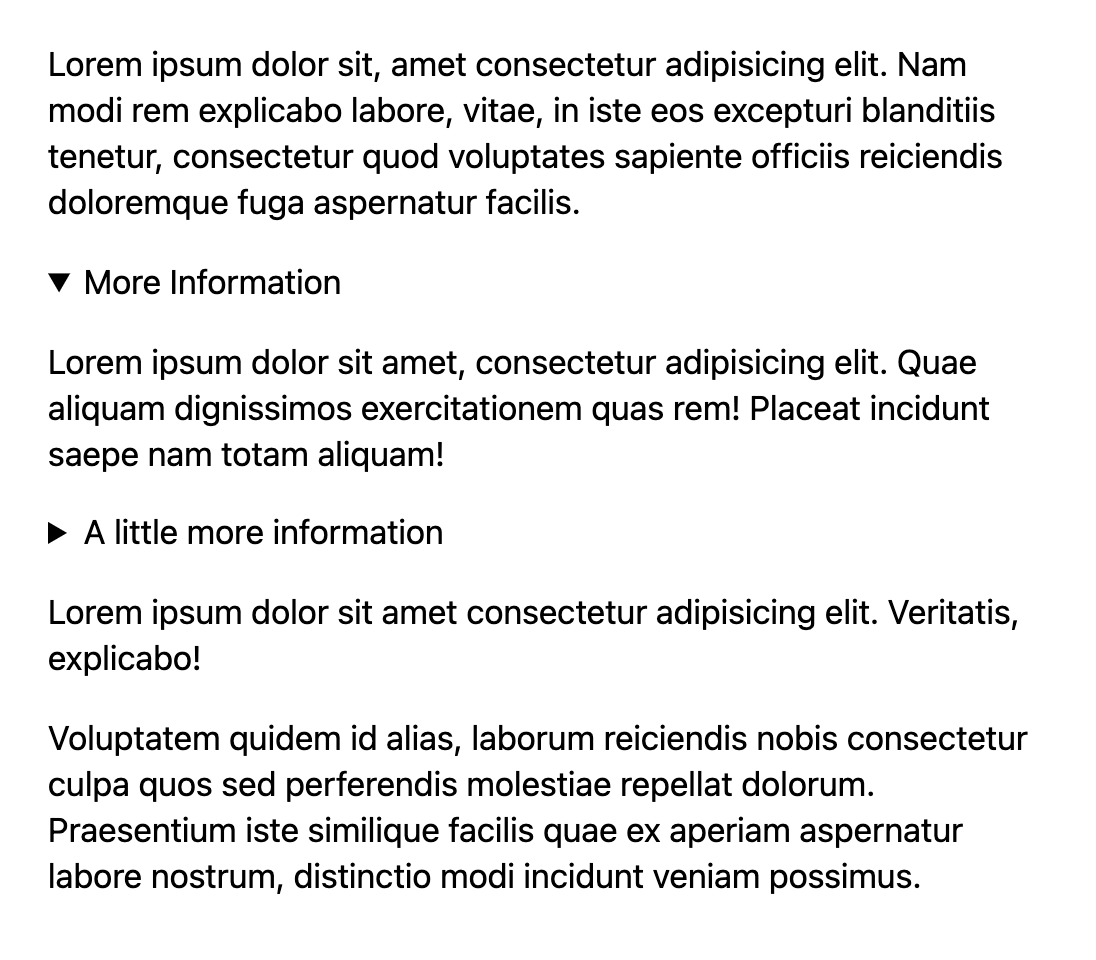
A screenshot of some text with details elements present. One of them is open. It's not clear what text is within that details and what isn't.

What text here is inside a <details> and what isn’t?

The solution is… CSS. Style the <details> somewhat uniquely, and that problem goes away. Even if you want the typography to be the same, or you don’t want any exclusive styling until the <details> is opened, it’s still possible. Using an alpha-transparent fill, you can even make sure that deeper-nested <details> remain clear.

Here’s that CSS:

details[open] { --bg: rgb(0 0 0 / 0.2); background: var(--bg); outline: 1rem solid var(--bg); margin: 0 0 2rem 0;
}

And the demo:

JBS Foods, the meat supplier hit by a ransomware attack, admits it paid $11 million in ransom
Video Prospecting: What is it and Why You Should Use it?

Related Articles

How to create animations using only CSS and @keyframes

how-to-create-animations-using-only-css-and-keyframes
This article was originally posted at https://christinatruong.medium.com/how-to-create-animations-using-only-css-and-keyframes-9b282289e70 and was kindly shared by Christina Truong. Check out more of her work at https://christinatruong.com. Adding dynamic elements to your website usually requires JavaScript. But…

Scroll Shadows? Pure CSS Parallax? Game Back On.

Scroll Shadows? Pure CSS Parallax? Game Back On.
Chris calls scroll shadows one his favorite CSS-Tricks of all time. Lea Verou popularized the pure CSS approach using four layered background gradients with some clever background-attachment magic. The result…