This is a super niche blog post. But it’s been on my list forever to write down because this caused me grief for far too long.
The setup is that you can use WooCommerce to sell things on a WordPress site, of course. If what you’re selling is a physical product, one thing you can do is set that up as print-and-ship on-demand. That’s what I do, for example, with our printed posters and sweatshirts. One company that does that, and the one we use right now, is Printify. It’s not even a plugin, it’s just APIs talking to each other.
That all works fine. The problem I was having? Customers weren’t getting any shipping notifications.
For a long time, I thought this was just something Printify punted on. For example, Printify doesn’t provide customer service to your customers, only to you. So if your customer has a problem, they contact you, and if it seems like it’s a Printify problem, you need to then contact them to figure it out. That’s not my favorite, but it’s understandable, as you are acting as the storefront here and things can go wrong with orders that the store needs to deal with, not Printify.
But no shipping notifications seems bananas. That’s like table stakes for eCommerce. Not to mention you can see shipping information in the Printify dashboard. So it was a lot of…
- Customer wonders where order is
- Customer is annoyed they didn’t get any shipping notification
- Customer emails me
- I look up shipping/tracking information
- I send to them manually
That’s just not tenable.
The thing is though, it’s supposed to work, and it does through a sneaky little feature of core WooCommerce itself.
So an order comes in, and I can see it:
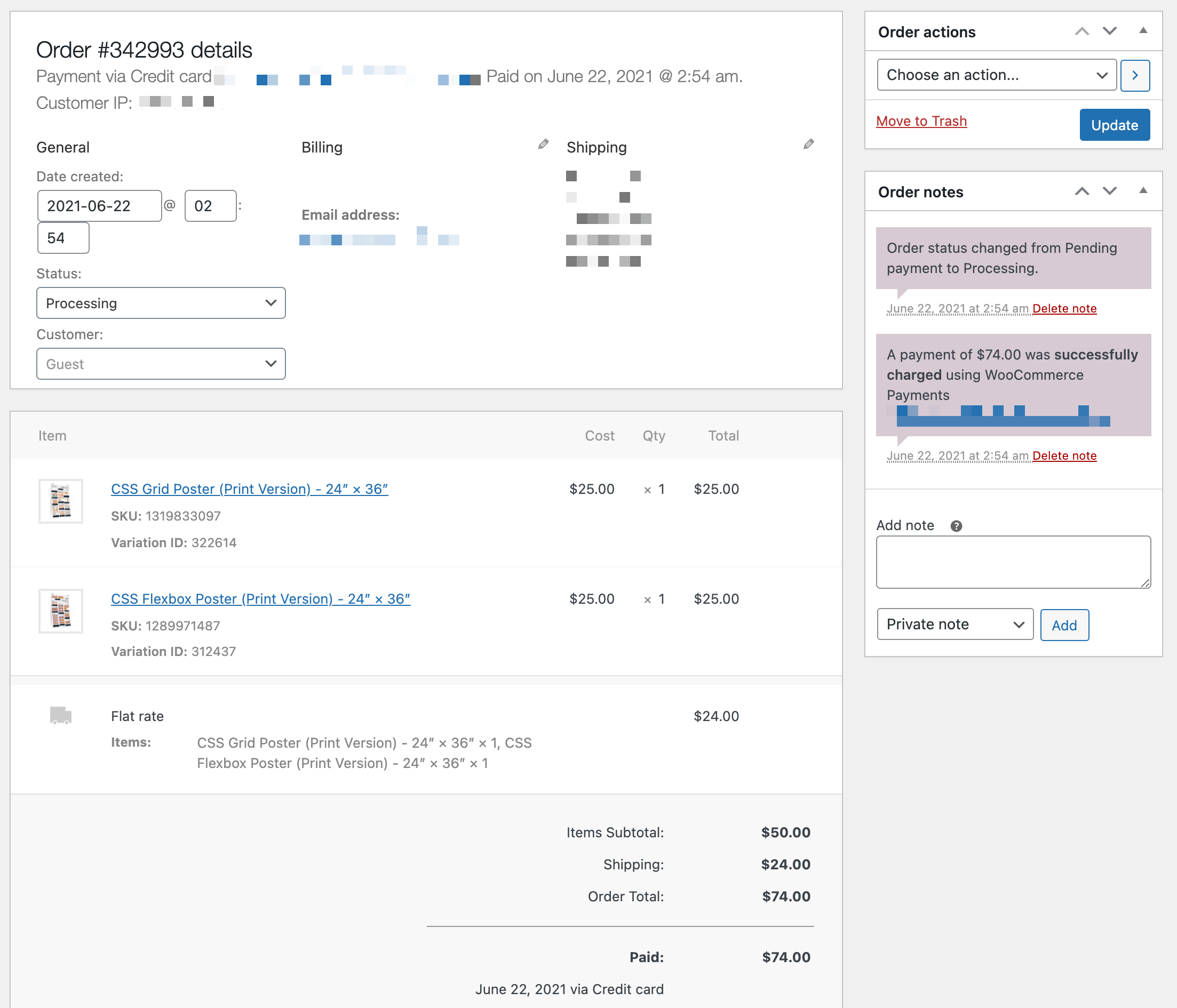
Once the payment is solid, it’ll kick over to Printify, and I can see the order there too.
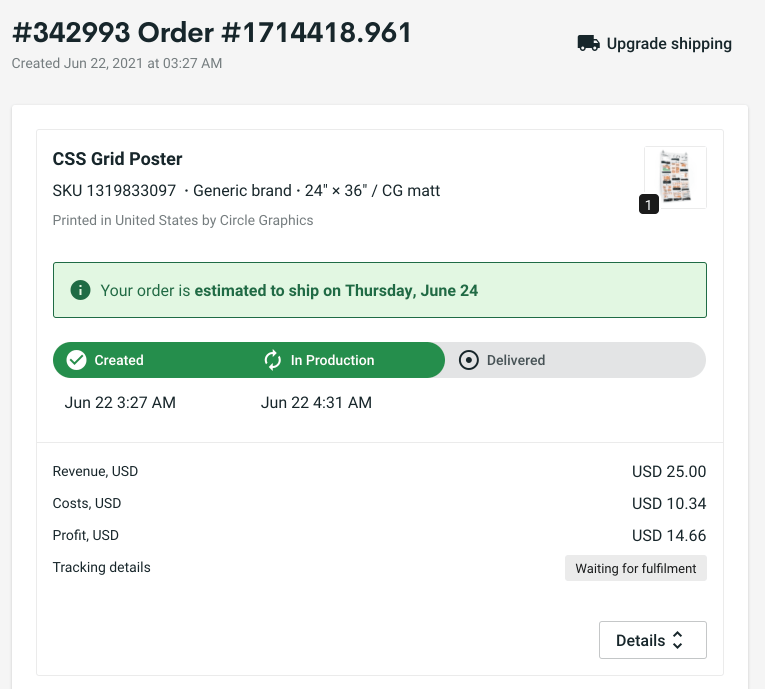
Once Printify has tracking information, it becomes available in the Printify dashboard:
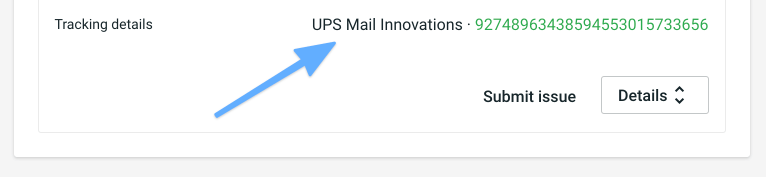
The trick is that this tracking information doesn’t just stay in Printify. They API it over to the WordPress site as well in the form of a “note” on the order. So you can see it there:
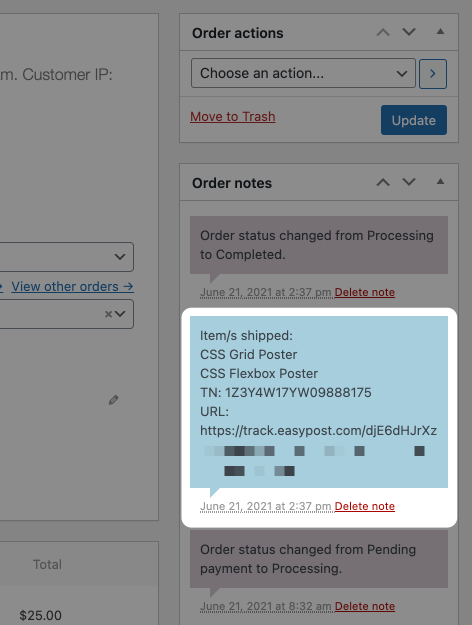
Notes are, in a sense, kind of abitrary metadata on orders. You can just type whatever you want as a note and either add it privately or visibly to the user.
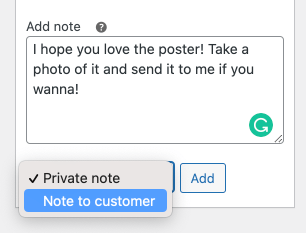
That was all happening normally on my site.
Here was my problem:
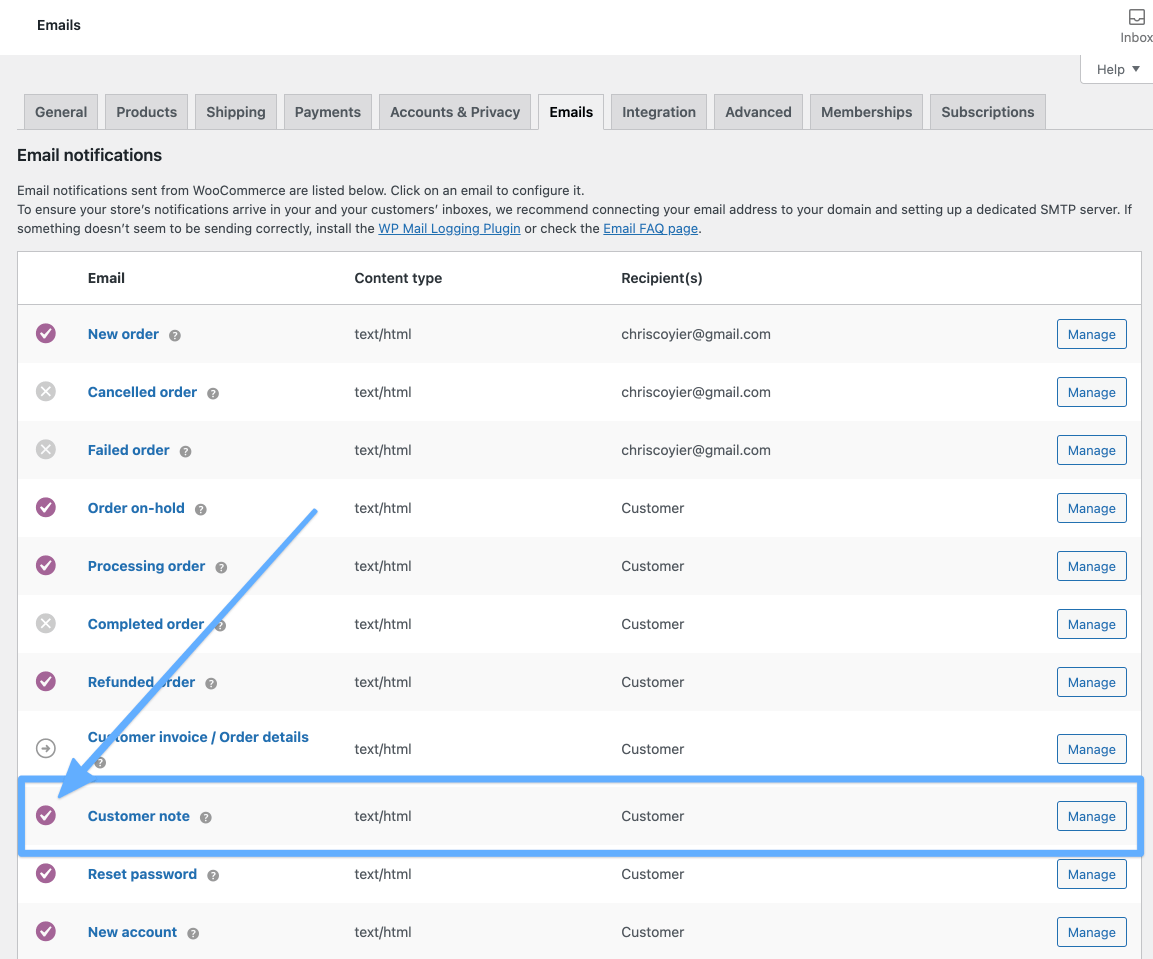
I was confused I guess because I didn’t really understand the “Notes” idea in WordPress and it wasn’t documented anywhere saying that is how Printify communicates this information. It just dawned on me looking at it for the 100th time. Why that was off? I don’t know. Does it default to off? Did I turn it off because I didn’t understand it, and turning off customer-facing emails I don’t understand felt right at some point? Again, I don’t know. I also maybe just assumed that Printify would email the customer the tracking information because they have that information, as well as the customer email. Who knows.
With it on, though, it works!
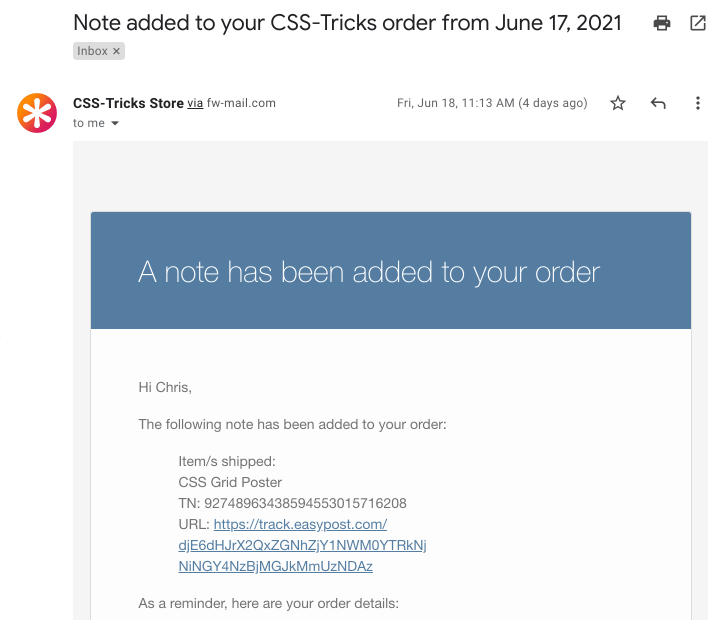
Point is: by turning this email on, it went from a ton of very manual customer service work to almost none. So I wanted to get it blogged in case anyone is in this frustrating situation like I was.