Pulling data from an API into a Figma Layer is one of the coolest, most useful things we can do using Figma. If we were working on a mockup for Airbnb, for example, and we wanted to insert apartment data into it, we’d want to use the Airbnb API for speed, realism, and realtime updates.
In this first step, we’ll use the Data Sync plugin, which enables us to request JSON, XML, or CSV-formatted data from Google Sheets and APIs, and then insert it into our mockup.
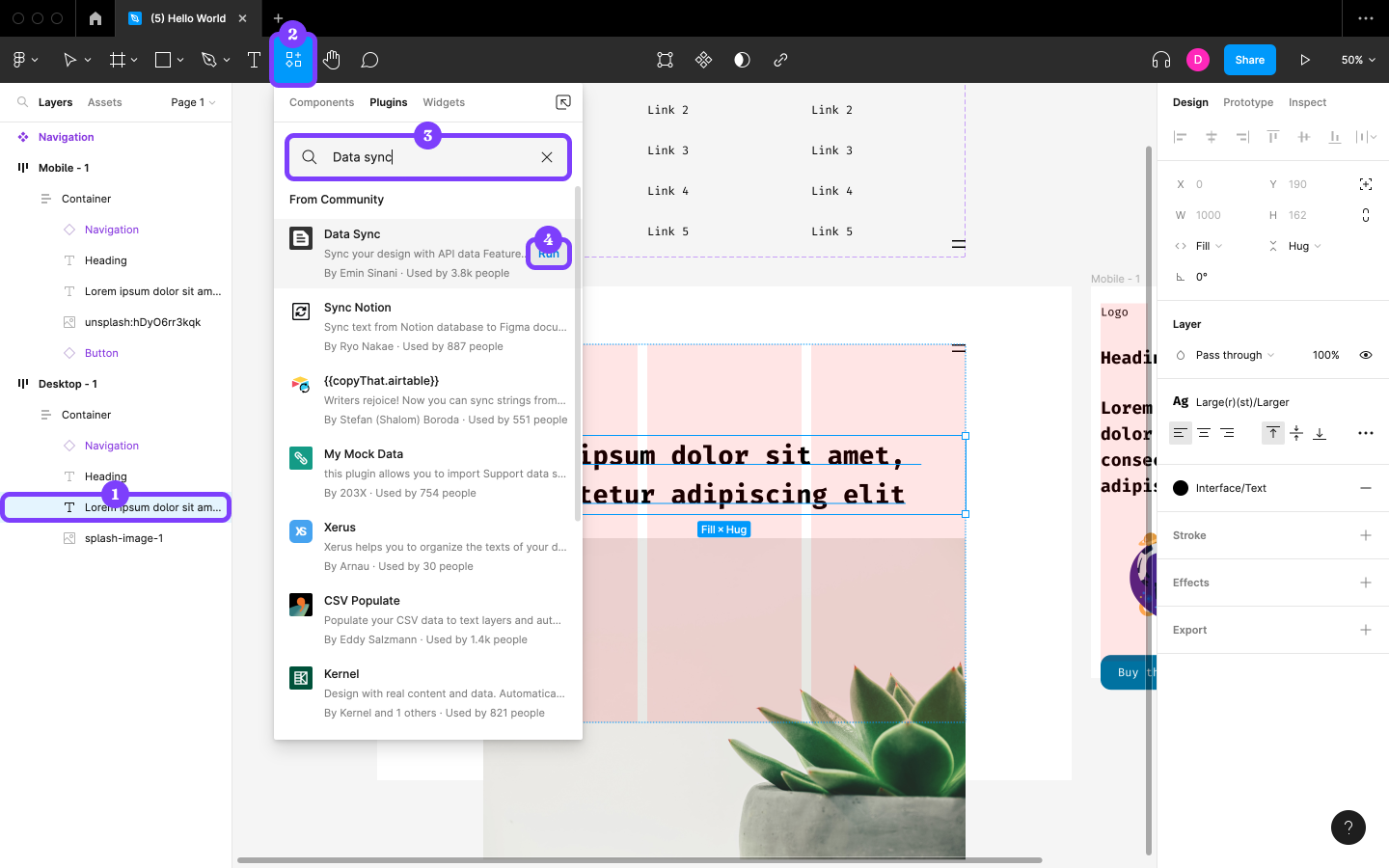
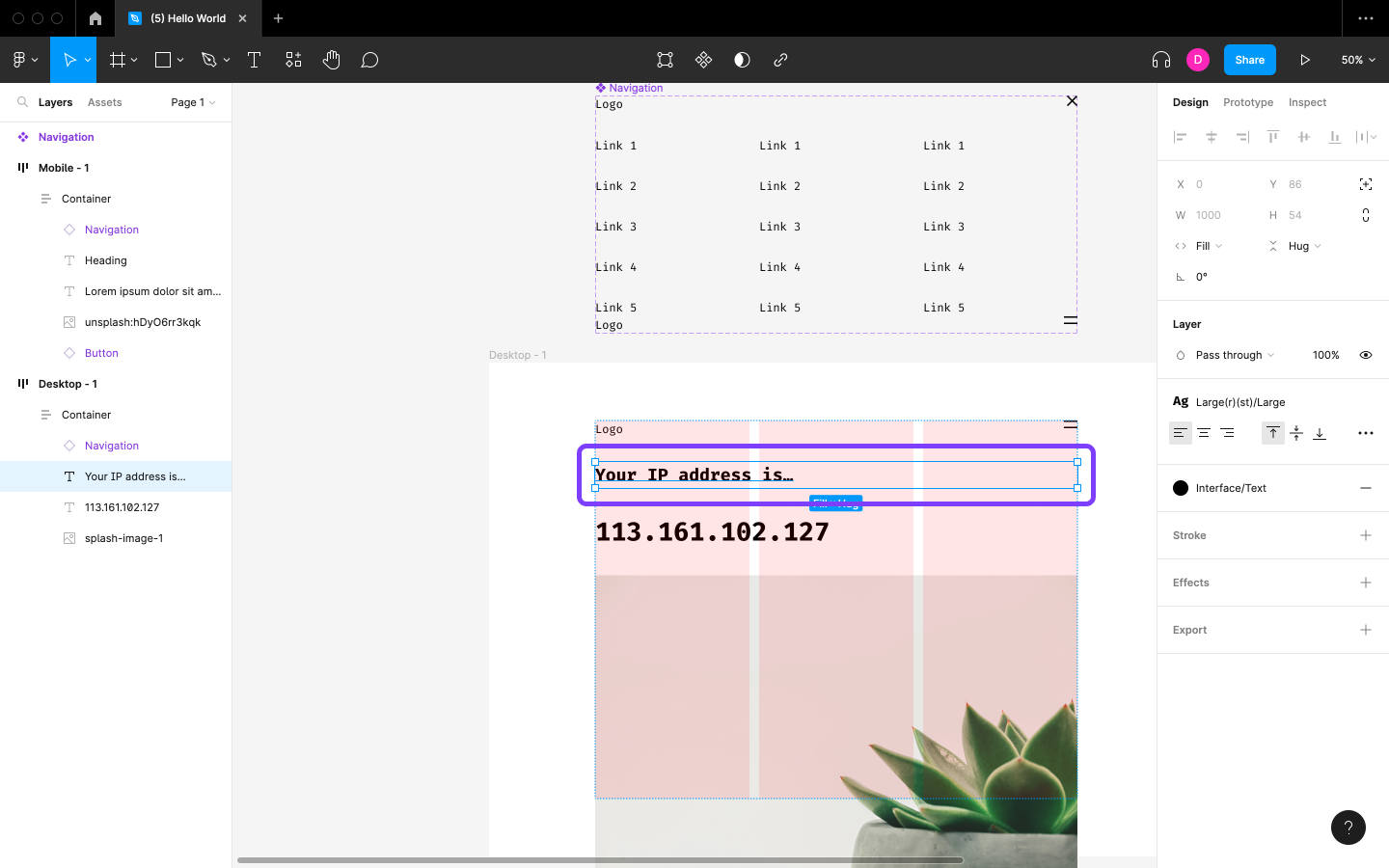
Start by selecting the Text layer in “Desktop – 1” with the “Larger” Text Style applied, then run the Data Sync plugin.
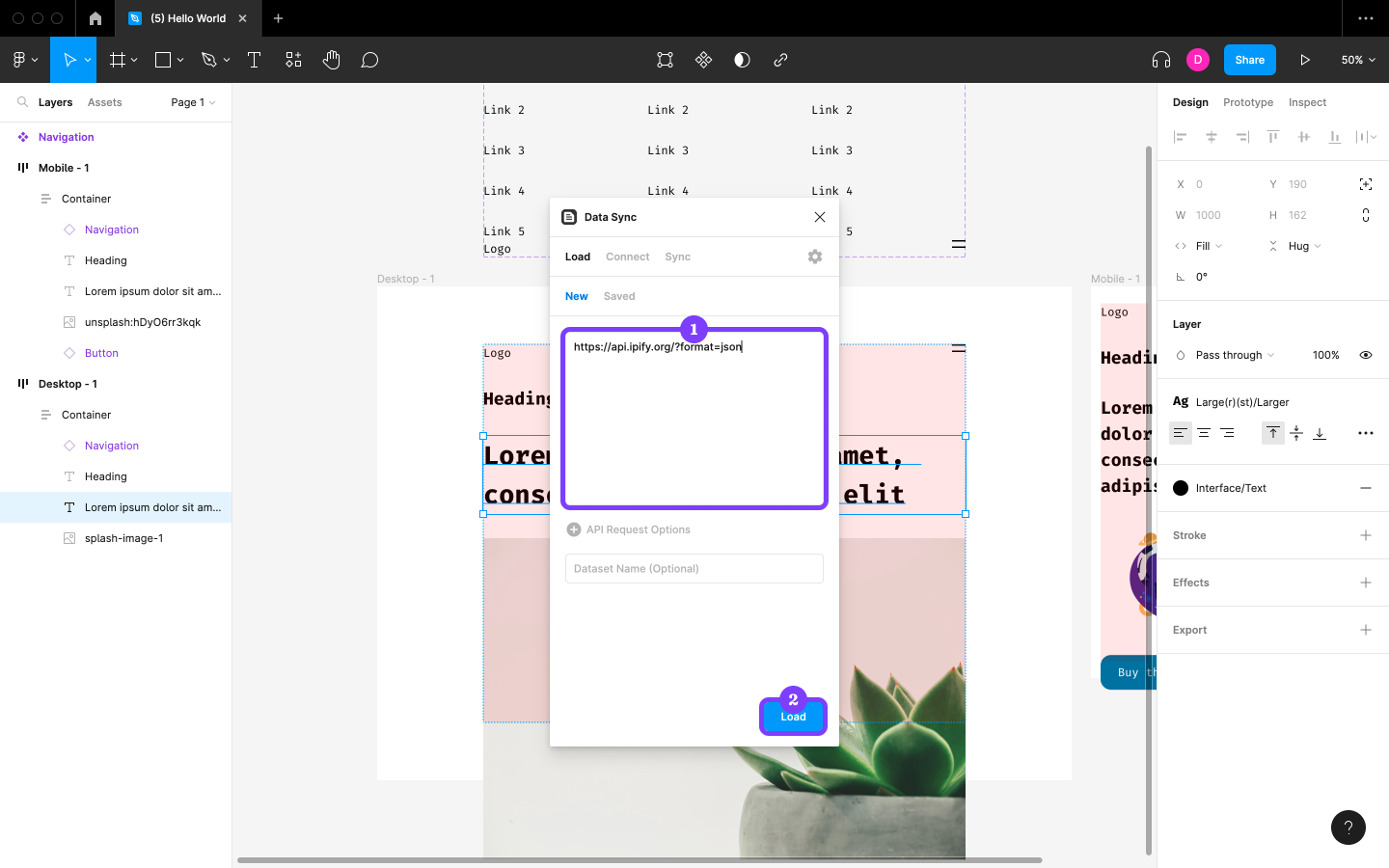
Now let’s assume that what we’re designing tells users what their IP address is. We’ll use the ipify API to find out what ours is and insert it into the Layer. Paste https://api.ipify.org/?format=json into the text field and then click on the Load button, which will request the data from the API before switching us to the Connect tab. (This is an open API, so we don’t need to include any authentication credentials.)
We’ll see the data returned by the API right away, which in this case is our IP address. Click on it and then click on the Insert button to replace the Layer’s content with the data.
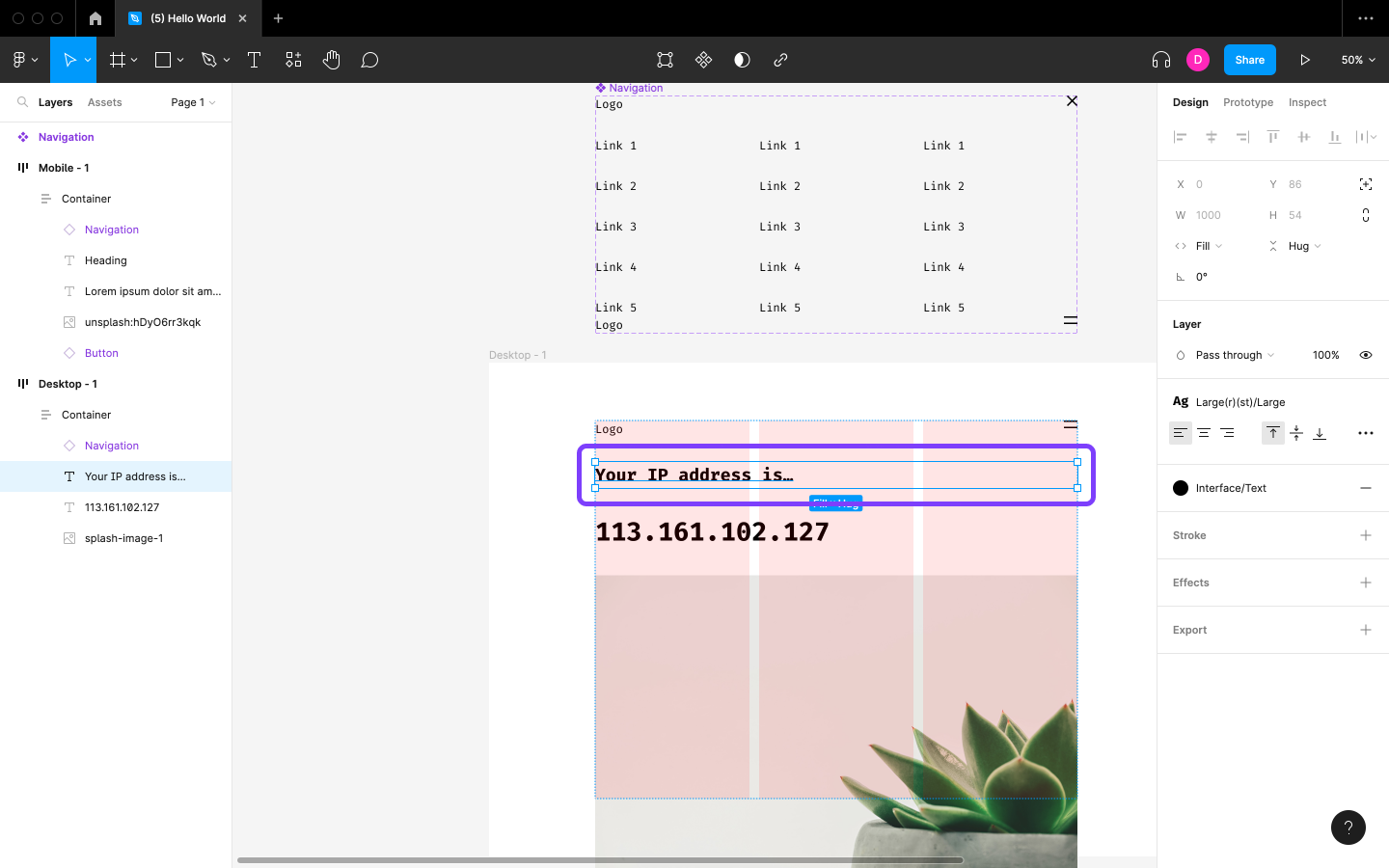
Change the content of “Heading” to “Your IP address is…”
Setting Up API Access
Most APIs require authentication and request options, so unless we’re using an open API like the one above, it can be a little tricky to set up. That being said, data returned by APIs can be reformatted in Figma using JavaScript, so it might be worth learning some JavaScript to make it easier to work with APIs.
This article is a short extract from The Designer’s Guide to Figma, available on SitePoint Premium.