In this article, we walk through building out a full-stack real-time and completely serverless application that allows you to create polls! All of the app’s static bits (HTML, CSS, JS, & Media) will be hosted and globally distributed via the GitHub Pages CDN (Content Delivery Network). All of the data and dynamic requests for data (i.e., the back end) will be globally distributed and stateful via the Macrometa GDN (Global Data Network).
Macrometa is a geo-distributed stateful serverless platform designed from the ground up to be lightning-fast no matter where the client is located, optimized for both reads and writes, and elastically scalable. We will use it as a database for data collection and maintaining state and stream to subscribe to database updates for real-time action.
We will be using Gatsby to manage our app and deploy it to Github Pages. Let’s do this!
Intro
This demo uses the Macrometa c8db-source-plugin to get some of the data as markdown and then transform it to HTML to display directly in the browser and the Macrometa JSC8 SKD to keep an open socket for real-time fun and manage working with Macrometa’s API.
Getting started
- Node.js and npm must be installed on your machine.
- After you have that done, install the Gatsby-CLI >>
npm install -g gatsby-cli - If you don’t have one already go ahead and signup for a free Macrometa developer account.
- Once you’re logged in to Macrometa create a
document collectioncalledmarkdownContent. Then create a single document withtitleandcontentfields in markdown format. This creates your data model the app will be using for its static content.
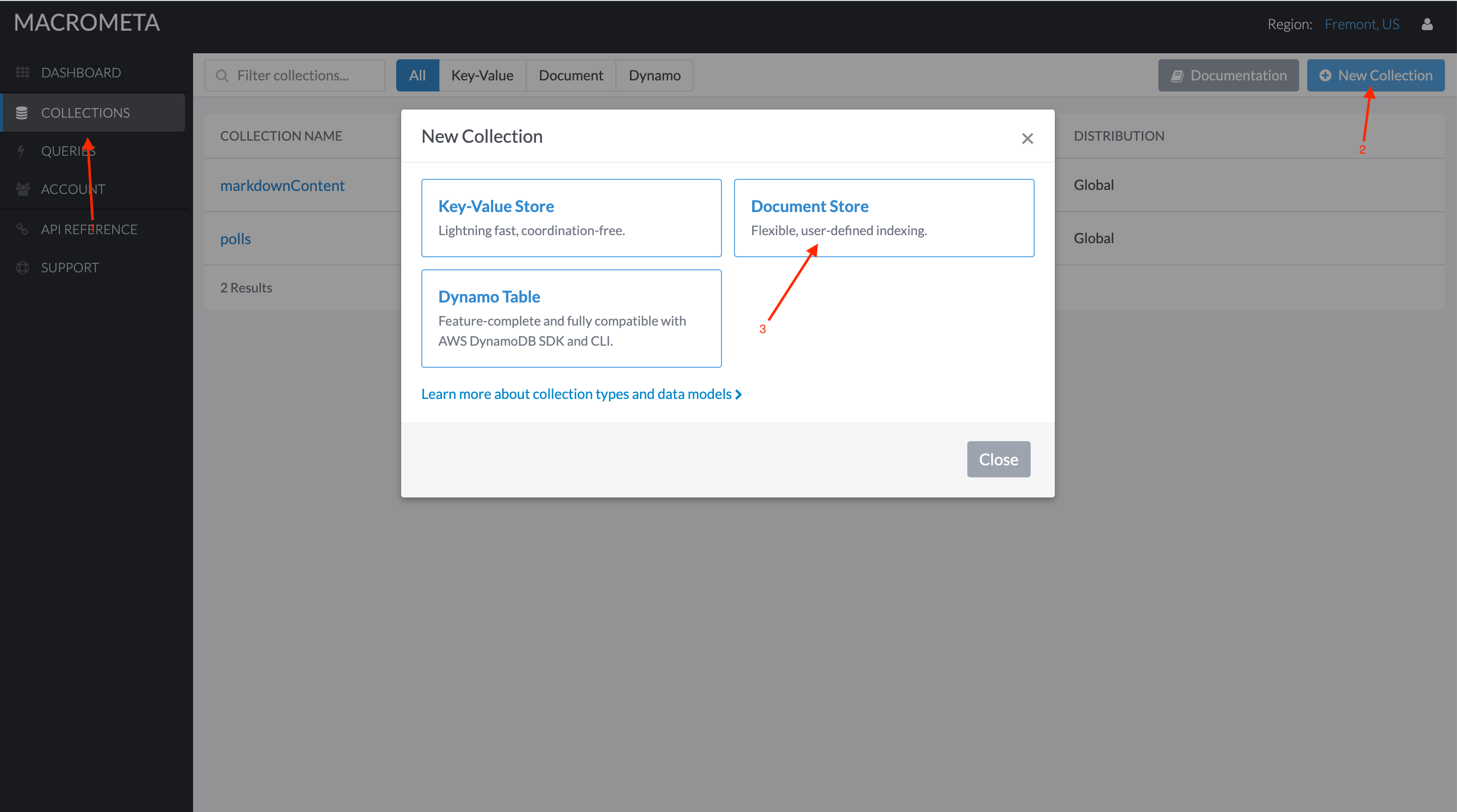
Here’s an example of what the markdownContent collection should look like:
{ "title": "## Real-Time Polling Application", "content": "Full-Stack Geo-Distributed Serverless App Built with GatsbyJS and Macrometa!"
}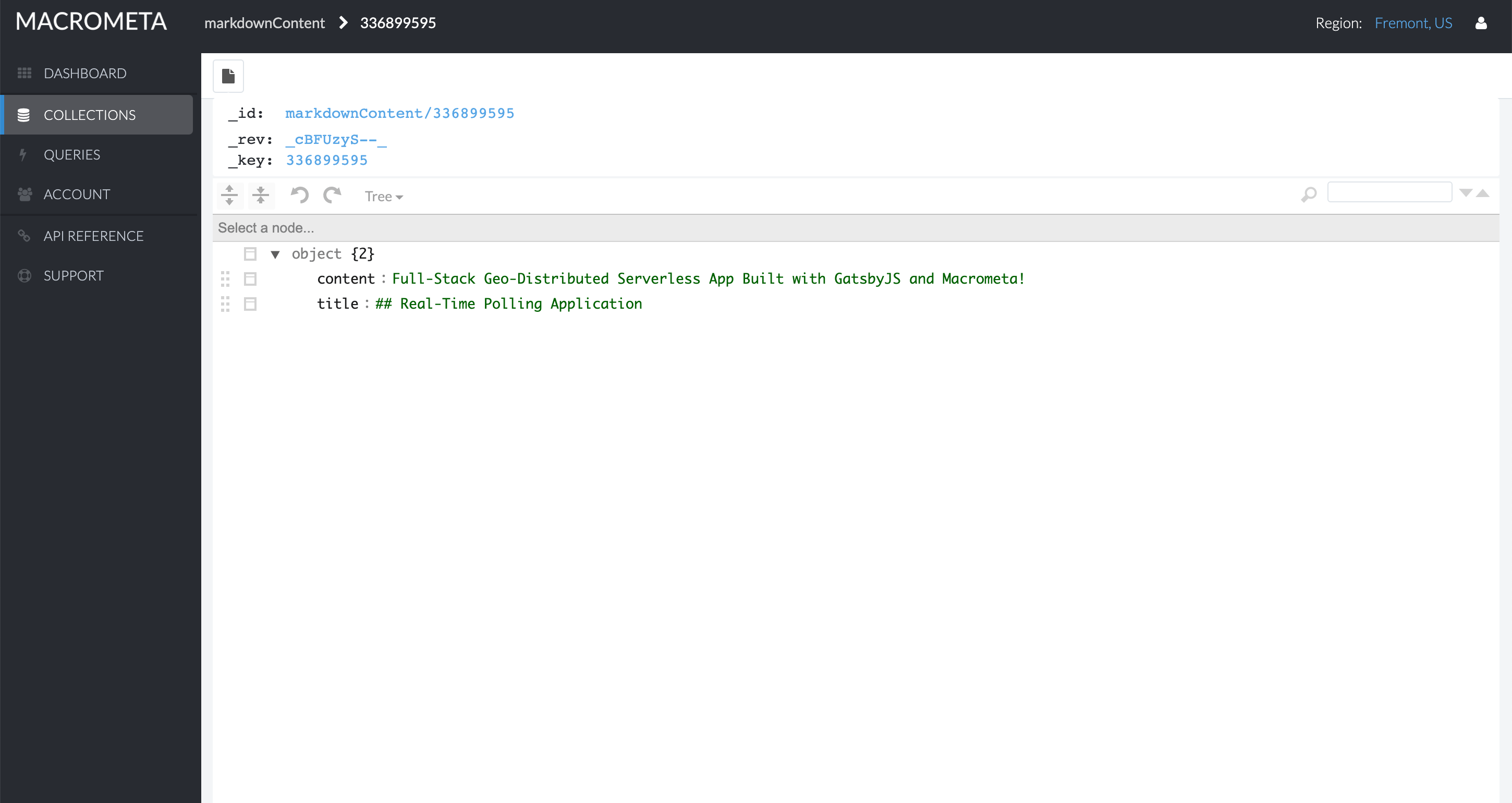
content and title keys in the document are in the markdown format. Once they go through gatsby-source-c8db, data in title is converted to <h2></h2>, and content to <p></p>.
- Now create a second
document collectioncalledpolls. This is where the poll data will be stored.
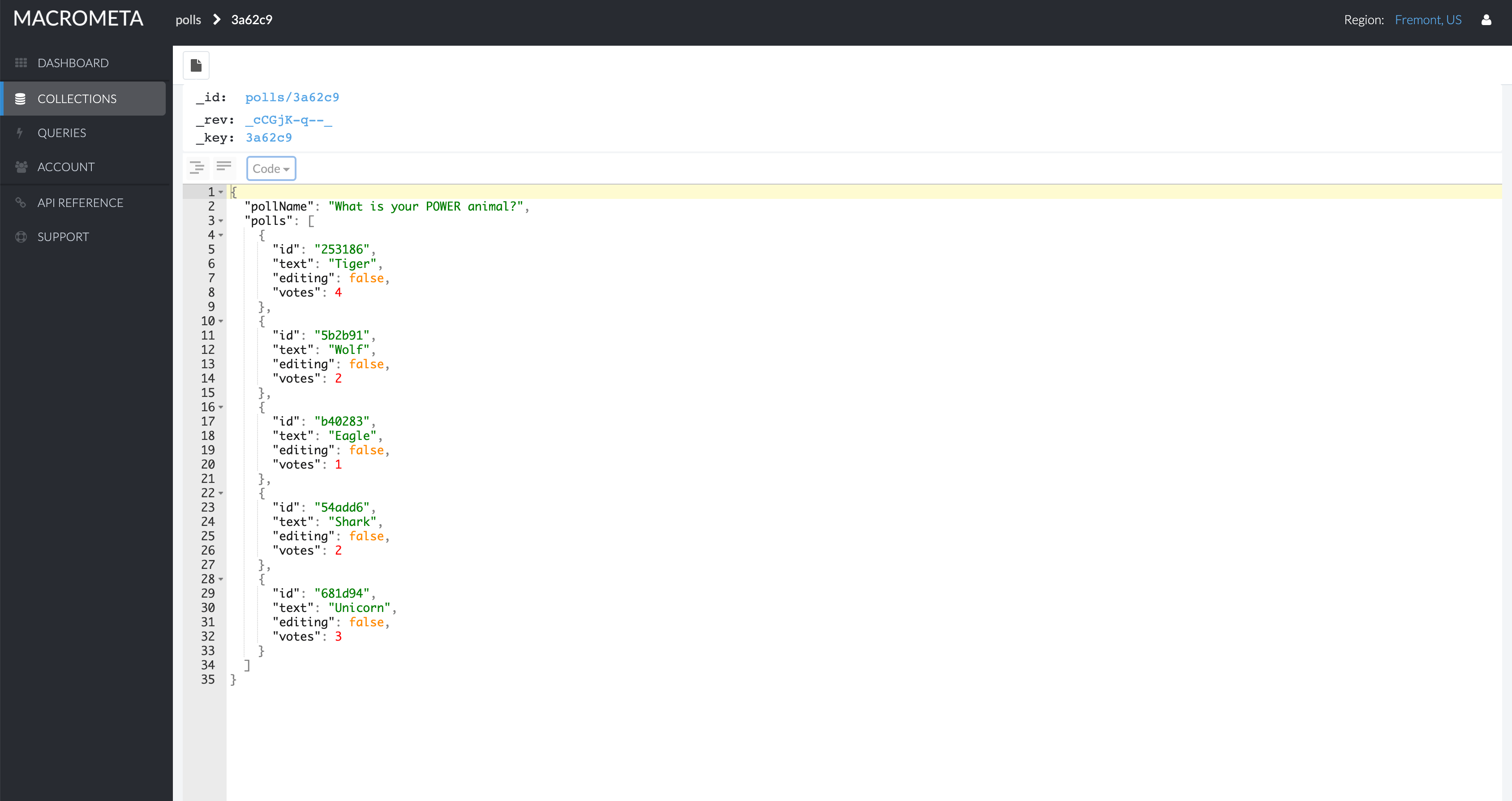
In the polls collection each poll will be stored as a separate document. A sample document is mentioned below:
{ "pollName": "What is your spirit animal?", "polls": [ { "editing": false, "id": "975e41", "text": "dog", "votes": 2 }, { "editing": false, "id": "b8aa60", "text": "cat", "votes": 1 }, { "editing": false, "id": "b8aa42", "text": "unicorn", "votes": 10 } ]
}
Setting up auth
Your Macrometa login details, along with the collection to be used and markdown transformations, has to be provided in the application’s gatsby-config.js like below:
 { resolve: "gatsby-source-c8db", options: { config: "https://gdn.paas.macrometa.io", auth: { email: "<my-email>", password: "process.env.MM_PW" }, geoFabric: "_system", collection: 'markdownContent', map: { markdownContent: { title: "text/markdown", content: "text/markdown" } } }
}
Under password you will notice that it says process.env.MM_PW, instead of putting your password there, we are going to create some .env files and make sure that those files are listed in our .gitignore file, so we don’t accidentally push our Macrometa password back to Github. In your root directory create .env.development and .env.production files.
You will only have one thing in each of those files: MM_PW='<your-password-here>'
Running the app locally
We have the frontend code already done, so you can fork the repo, set up your Macrometa account as described above, add your password as described above, and then deploy. Go ahead and do that and then I’ll walk you through how the app is set up so you can check out the code.
In the terminal of your choice:
- Fork this repo and clone your fork onto your local machine
- Run
npm install - Once that’s done run
npm run developto start the local server. This will start local development server onhttp://localhost:<some_port>and the GraphQL server athttp://localhost:<some_port>/___graphql
How to deploy app (UI) on GitHub Pages
Once you have the app running as expected in your local environment simply run npm run deploy!
Gatsby will automatically generate the static code for the site, create a branch called gh-pages, and deploy it to Github.
Now you can access your site at <your-github-username>.github.io/tutorial-jamstack-pollingapp
If your app isn‘t showing up there for some reason go check out your repo’s settings and make sure Github Pages is enabled and configured to run on your gh-pages branch.
Walking through the code
First, we made a file that loaded the Macrometa JSC8 Driver, made sure we opened up a socket to Macrometa, and then defined the various API calls we will be using in the app. Next, we made the config available to the whole app.
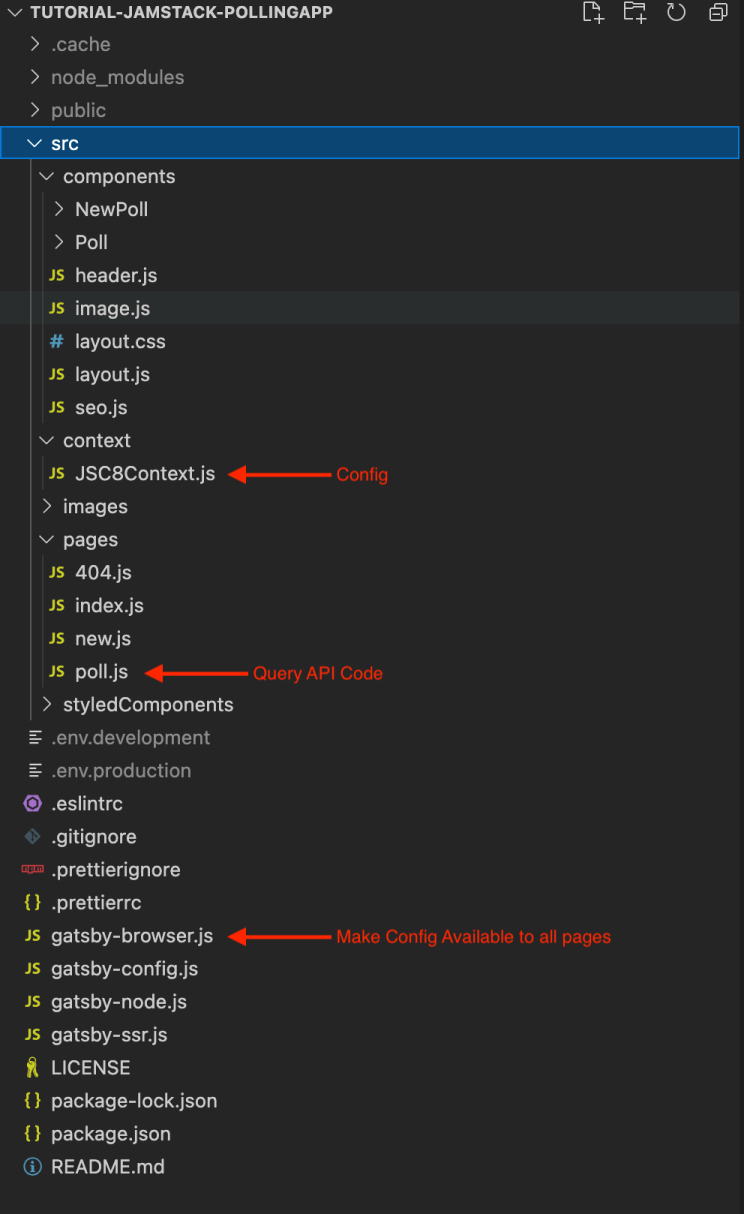
After that we wrote the functions that handle various front-end events. Here’s the code for handling a vote submission:
onVote = async (onSubmitVote, getPollData, establishLiveConnection) => { const { title } = this.state; const { selection } = this.state; this.setState({ loading: true }, () => { onSubmitVote(selection) .then(async () => { const pollData = await getPollData(); this.setState({ loading: false, hasVoted: true, options: Object.values(pollData) }, () => { // open socket connections for live updates const onmessage = msg => { const { payload } = JSON.parse(msg); const decoded = JSON.parse(atob(payload)); this.setState({ options: decoded[title] }); } establishLiveConnection(onmessage); }); }) .catch(err => console.log(err)) });
}
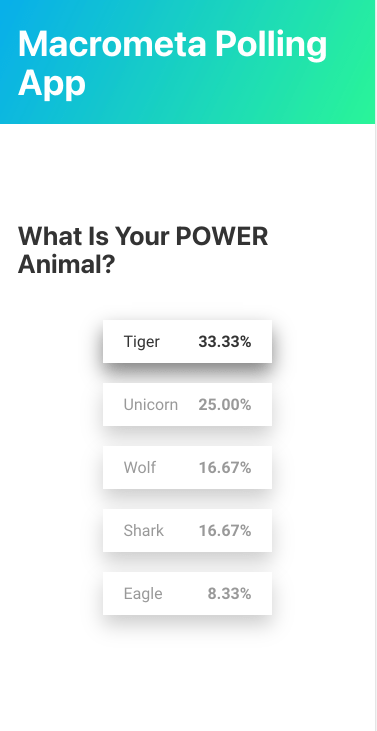
You can check out a live example of the app here
You can create your own poll. To allow multiple people to vote on the same topic just share the vote URL with them.